iQOO 15 Sale Date In India: The latest flagship from iQOO, the iQOO 15, is now available for purchase in India starting December 1. The device was officially launched in the country on November 26, following its initial debut in China in October. The smartphone is offered in two storage variants: 12GB RAM + 256GB storage and 16GB RAM + 512GB storage. The iQOO 15 comes in Alpha (black) and Legend (white) colour options. Consumers can purchase the iQOO 15 from Amazon, the iQOO e-store, Vivo exclusive stores, and various offline retail outlets across India. iQOO 15 Specifications The smartphone features a large 6.85-inch Samsung M14 8T LTPO AMOLED display with a smooth 144Hz refresh rate, 2K resolution, 508 ppi pixel density, and an impressive 6,000 nits of local peak brightness. Add Zee News as a Preferred Source The screen also ships with an anti-reflective film and Wet Finger Control, which allows users to call, click photos, shoot videos, and play games with wet or sweaty hands. It also gets triple ambient light sensors. It is powered by the Qualcomm’s 3nm Snapdragon 8 Elite Gen 5 chipset, paired with an Adreno GPU, up to 16GB LPDDR5x RAM, and up to 512GB of UFS 4.1 storage. On the camera front, the phone offers a versatile triple rear camera setup, including a 50MP Sony IMX921 main sensor with OIS, a 50MP Sony IMX882 periscope telephoto lens with 3x optical zoom, and a 50MP ultrawide lens. On the front, it houses a 32MP camera for clear selfies and video calls. The iQOO 15 packs a 7,000mAh silicon-carbon battery with support for 100W wired and 40W wireless fast charging. It measures 8.17mm in thickness and weighs around 220g. To keep temperatures in check, the iQOO 15 comes equipped with an 8K VC Cooling System featuring an 8,000 sq mm heat dissipation area. (Also Read: WhatsApp Rolls Out Message Reminder Feature For iPhone Users: How To Set Up And Cancel It) iQOO 15 Price In India And Bank Discount The smartphne starts at Rs 72,999 for the 12GB + 256GB variant, while the 16GB + 512GB model is priced at Rs 79,999. Consumers can avail a Rs 7,000 instant discount when paying through Axis, HDFC, and ICICI Bank cards or a Rs 7,000 exchange bonus, along with an additional Rs 1,000 coupon discount.

OnePlus 15R India Launch Officially Confirmed, Could Debut With Snapdragon 8 Elite Chipset; Check Expected Camera, Battery, Display, Price And Other Specs | Technology News
OnePlus 15R Price In India: Chinese smartphone brand OnePlus is set to launch its next budget flagship, the OnePlus 15R, in the Indian market. The company has announced that the OnePlus 15R will make its official debut on December 17. Meanwhile, the brand has published the first visuals of the device on its website, showcasing a clean, flat-edged design that closely aligns with the premium OnePlus 15 series. The OnePlus 15R will come in a classic Black and a fresh Green finish colour options. Adding further, the OnePlus 15R smartphone is expected to include the customizable Plus key seen on recent OnePlus phones. Certification details from China suggest it may come with an IP68 rating, and possibly even IP69 water and dust protection. OnePlus 15R Specifications (Expected) Add Zee News as a Preferred Source If the OnePlus 15R mirrors the OnePlus Ace 6 specs, the smartphone is expected to feature a large 6.83-inch flat AMOLED display with a 1.5K resolution, a smooth 165Hz refresh rate, and an impressive 5,000-nit peak brightness. The device may powered by a Snapdragon 8 Elite chipset, paired with up to 16GB LPDDR5X RAM and up to 512GB UFS 4.1 storage. For photography, the phone may offer a 50MP OIS-enabled main camera, an 8MP ultra-wide lens, and a 16MP front camera. The phone is likely to run ColorOS 16 based on Android 16. It is packed by a massive 7,800mAh battery with 120W SuperVOOC fast charging. It is also said to come with IP66/68/69/69K dust and water protection. (Also Read: iQOO 15 With 7,000mAh Battery And Triple-Camera Setup Goes on Sale in India: Check Display, Price, Availability, And Bank Discount) OnePlus 15R Price (Expected) If the OnePlus 15R follows the pricing of the OnePlus Ace 6 in China, it may adopt a similar structure. The Ace 6 starts at CNY 2599 (approximately Rs 32,300) for the 12GB 256GB variant. The other configurations, 16GB 256GB, 12GB 512GB, and 16GB 512GB, are priced at CNY 2899 (about Rs 36,000), CNY 3099 (Rs 38,800), and CNY 3399 (about 42,200 rupees) respectively.

Indian Rules Mandate ‘WhatsApp Web’ To Log Out Users Every Six Hours | Technology News
New Delhi: The Department of Telecommunications (DoT) has issued a directive requiring messaging platforms, including WhatsApp, to log users out every six hours. The directive last week mandated that the user’s subscriber identity module (SIM) used at registration must be bound to the services of web-based platforms such as WhatsApp, Telegram, Signal, Arattai, Snapchat, Sharechat, and others. As the service must remain tied to the SIM in the phone, WhatsApp Web and similar web companions are forced to log users out every six hours once the rule is implemented. Within 90 days, users will no longer be able to access these apps unless the original SIM is present in the device, the DoT circular showed. Each web-based platform must submit a compliance report within four months. Add Zee News as a Preferred Source The change will disrupt the seamless multi‑device experience many gained by keeping WhatsApp Web running throughout the workday. The government felt the move was necessary to prevent misuse of messaging apps as cyber fraudsters exploited WhatsApp without having the SIM present, often from outside India. Making SIM binding mandatory provides a way to trace activity to a physical subscriber. The rules flowed from the Telecommunication Cybersecurity Amendment Rules, 2025, which introduced the idea of a Telecommunication Identifier User Entity. The rules flow from the Telecommunication Cybersecurity Amendment Rules, 2025, which introduced the Telecommunication Identifier User Entity requirement. Under the revised rules, platforms will need access to the International Mobile Subscriber Identity (IMSI) stored on the SIM, requiring global services such as WhatsApp to re-engineer parts of their system for Indian users. Tech companies said that constant SIM checks and six‑hour logouts will erode user privacy, break multi‑device convenience, and complicate access when travelling, while telecom operators backed the move.

New GTA 6 Animation Footage Leaks Online Through Former Rockstar Animator’s Reel | Technology News
GTA 6 Launch: The Rockstar Games Grand Theft Auto series has always been popular among gamers and fans. This time, new leaked footage of GTA VI has surfaced online, giving fans a rare glimpse of previously unseen animation sequences from the upcoming game. The footage appeared on Vimeo as part of the demo reel of Ben Chue, a former character animator at Rockstar Games. The unexpected appearance of early development content has once again sparked discussions among fans about GTA 6. Who Leaked the Footage? Add Zee News as a Preferred Source Chue’s reel features approximately two minutes of animation work, but the first 19 seconds drew major attention among fans. The clips circulated widely after being shared on Reddit’s r/GamingLeaksAndRumours community. The short sequences appear to show early animations from GTA 6. Chue has previously worked on several Rockstar titles, including Red Dead Redemption 2, Grand Theft Auto V, and Max Payne 3. His earlier portfolio of confirmed Rockstar projects has made the footage appear more credible to fans than recent AI-generated leaks. Footage Shows Bicycle and Character Movement One of the leaked clips shows a male character interacting with a bicycle placed on a street rack. The animation shows the character pulling the bicycle backward, adjusting his stance, and preparing to sit and ride. Fans noticed the detailed motion of the pedals shifting as the character places his feet. The interaction highlighted Rockstar’s characteristic style of realistic and physics-based animation. (Also Read: WhatsApp Rolls Out Message Reminder Feature For iPhone Users: How To Set Up And Cancel It) Another portion of the video shows a female character standing on a truck and then jumping down onto the road. The bicycle in the leak is labeled “LOMBike,” which appears to follow Rockstar’s long-running tradition of using fictional versions of real-world brands in their games. Rockstar Yet to Respond It is still not confirmed whether Rockstar Games will take action against the uploaded reel, as the footage only shows animation tests and not major gameplay elements. The leaked reel continues to circulate across social media platforms, adding to ongoing interest in the highly anticipated GTA 6.
WhatsApp Rolls Out Message Reminder Feature For iPhone Users: How To Set Up And Cancel It | Technology News
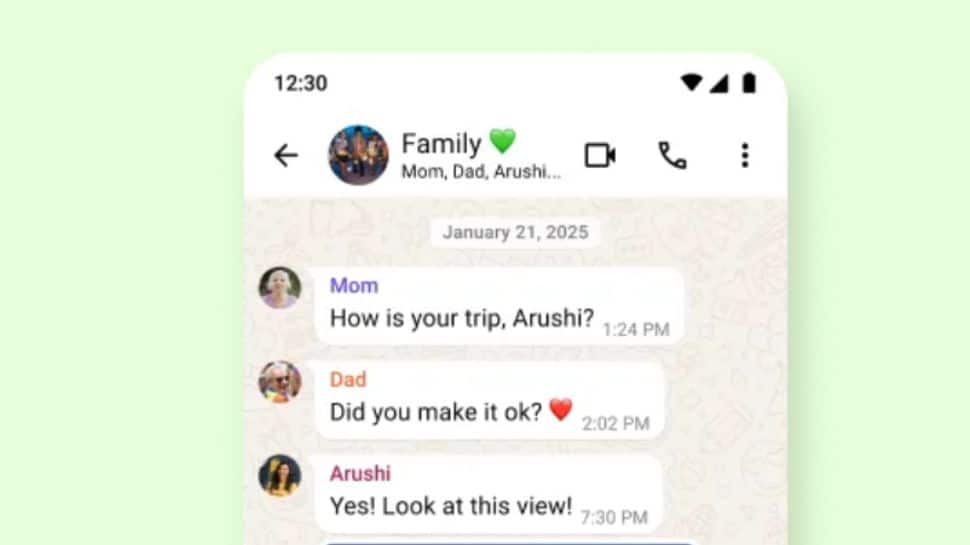
WhatsApp Message Reminder Feature: Ever missed an important message on WhatsApp and wished the app could tap you on the shoulder at the right moment? We have all faced that moment when we scroll through chats, notice something important, and simply think, “I will remember this later.” But the day moves on, new messages arrive, and that one important note slowly sinks deeper into the chat list. Recognizing this challenge, WhatsApp has introduced a new message reminder feature for iPhone users that makes staying organized much simpler. With this update, you can now set a time-based reminder directly on any message. The new feature allows you to turn any message into a personal alert, without switching apps or relying on memory. Whether it is a payment update, a travel detail, or a task from work, WhatsApp now makes it easier to remember what truly important to you. However, this new feature available in WhatsApp version 25.25.74, is a simple but powerful addition for users who juggle multiple chats and don’t want to miss important follow-ups. Add Zee News as a Preferred Source WhatsApp Message: How To Setup Reminder In Meta-Owned Platform Step 1: Open the chat and navigate to the conversation that contains the message you want a reminder for. Step 2: Tap and hold the message bubble until the options menu appears. Step 3: In the Popup menu, select More… to reveal additional actions. Step 4: From the extra options, tap “Remind Me.” Step 5: Choose a reminder interval: 2 hours, 8 hours, 24 hours, or Custom (set a specific date and time). Step 6: A small bell icon will appear in the corner of the message bubble — that confirms the reminder is set. Step 7: When the reminder triggers you’ll receive a WhatsApp notification; depending on your preview settings it may show the message text, the conversation name, and any attached media. WhatsApp Message: How To Cancel Reminder Step 1: Long-press the message that shows the bell icon. Step 2: From the menu that appears, tap More…. Step 3: Select Cancel Reminder. Step 4: Confirm cancellation — the bell icon will disappear and the reminder is removed.

Will Working Become ‘Optional’ In 20 Years? Tech Billionaire Elon Musk Predicts BIG Change | Technology News
Tech billionaire and CEO of Tesla, Elon Musk, has predicted in an interview that in around 20 years, work may no longer be a necessity for people. Speaking during an interview with Nikhil Kamath, Co-Founder of Zerodha, Musk stated that advancements in artificial intelligence (AI) and robotics will make working “optional” in less than 20 years and possibly even sooner. Musk stated, “My prediction is, in less than 20 years, working will be optional, working at all will be optional, like a hobby pretty much.” Add Zee News as a Preferred Source The billionaire also said that with progress in AI and robotics, people may reach a stage where they can choose whether to work or not, similar to choosing whether to grow vegetables at home despite having the option to buy them from a store. According to him, this shift could arrive in “less than 20 years, maybe even as little as 10 or 15 years,” driven entirely by technology taking over almost all forms of labor. Also Check- Elon Musk On ‘WTF’ Podcast: Zerodha Co-Founder Nikhil Kamath Releases 2nd Clip, Sparks Fresh Excitement Online; Check List Of Guests Who Appeared On Show He acknowledged that some may doubt this prediction, noting that his statement may be played back after two decades to judge its accuracy. Still, he expressed confidence that the speed at which AI is improving will ultimately make work a matter of personal interest rather than economic survival. The discussion came after Kamath pointed out that parts of the West are already moving from six-day workweeks to five, four, and even three days. Musk responded by saying that such flexibility does not apply when building a startup or working on extremely difficult problems, where “serious hours” are still necessary. But as technology progresses further, he believes even these demanding roles will eventually be supported or replaced by advanced systems. Kamath then asked how society might change if people were required to work only half the week, and what they might do with the rest of their time. Musk replied that the shift would go much further than shorter workweeks, people simply “won’t have to work at all.” He said AI and robotics would be able to provide all the goods and services people want. “If you can think of it, you can have it,” he stated. Kamath also raised a question about human competitiveness, suggesting that even if everyone had enough through universal high income, people might still feel the need for more because “enough is not enough.” Musk admitted that this remains uncertain, since humanity is heading toward what he described as a technological “singularity,” where it becomes impossible to predict what comes next. He said that once AI reaches a point where it has fulfilled all human needs, it may begin doing things for its own purposes. (with ANI inputs)
Is Your Mobile Phone Data Draining Fast? How To Check And Save Data While Using Google Maps, Podcast Apps Without Losing Important Features | Technology News
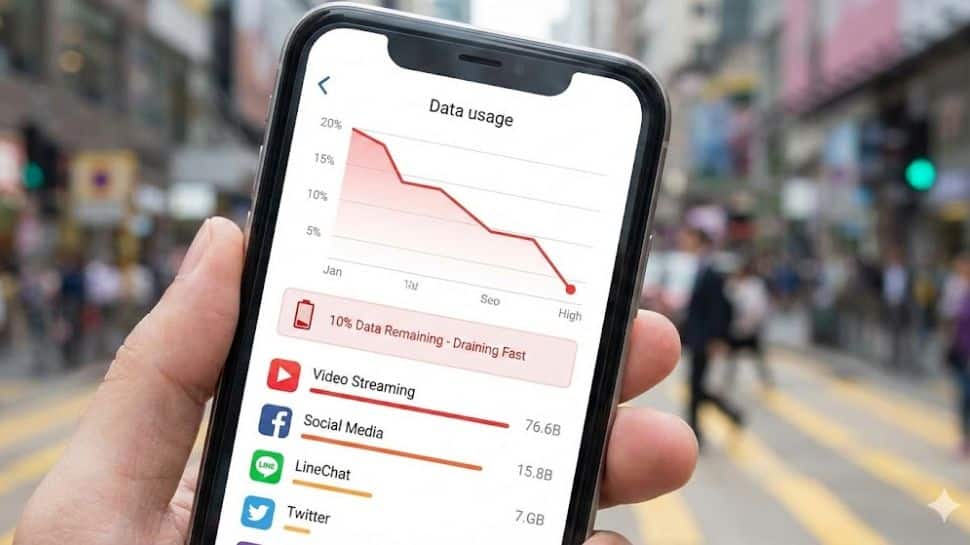
Save Internet Data Usage: Worried about your mobile data draining faster than expected? You’re not alone in the fast-paced technology. With apps syncing in the background, high-resolution videos auto-playing, cloud storage services back up photos, streaming services download content, and constant notifications buzzing in, your smartphone often uses more data than you realise. The good thing is that you can control this internet data drainage. A few smart tweaks can dramatically cut your data consumption without affecting your daily usage. Here’s a simple guide to help you reduce data usage on your smartphone and make every MB count. Modern apps are designed to keep you active by showing new content the moment you open them, and because of this, they often work in the background even when you’re not using them. This background activity can use a lot of data. Add Zee News as a Preferred Source For example, apps like Facebook, Instagram, and TikTok auto-play videos as you scroll, music apps sync your playlists, email apps keep checking for new messages, and photo apps automatically back up your pictures to the cloud. All of these tasks continue to consume mobile data when you’re not connected to Wi-Fi. How Mobile Apps Are Use Your Data In Background? Background app refresh is often the biggest culprit. Modern apps are designed to keep you active by showing new content the moment you open them, and because of this, they often work in the background even when you’re not using them. This background activity can use a lot of data. For example, apps like Facebook, Instagram, and TikTok auto-play videos as you scroll, music apps sync your playlists, email apps keep checking for new messages, and photo apps automatically back up your pictures to the cloud. All of these tasks continue to consume mobile data when you’re not connected to Wi-Fi. (Also Read: Why Restarting Your Phone And Laptop Is More Important Than You Think; Here’s How To Restart Your Mobile Phone And Laptop) Internet Data Usage: How To Check Which Apps Use The Most Data? You can see which apps use the most data by going to your phone’s settings and opening the data usage section. Most phones show how much data each app has used during your current billing period. This helps you find out which apps are using the most data. Meanwhile, many smartphones let you check your data usage in real-time using quick settings or notification widgets. This way, you can see how much data you are using during the day and avoid going over your limit. Smart Ways To Save Internet Data Without Losing Crucial Features You can save mobile data without losing important features by following a few easy strategies. Download videos, music, or other content while on Wi-Fi so you can use them offline. Lower the quality of streaming videos or music to use less data, and use offline modes for apps like maps and music. You can also manage how often your email app checks for new messages. Finally, allow mobile data only for the apps you use most and restrict it for others to reduce unnecessary data usage. How To Save Data While Using Google Maps, Podcast Apps Map apps such as Google Maps allow you to save specific areas for offline use. Before you travel, download the maps you need while connected to Wi-Fi so you can navigate without using mobile data. You can also adjust how often your email app checks for new messages. Setting it to update every 30 minutes or hourly, instead of constantly, helps save data while keeping you up-to-date. When watching videos on mobile data, lower the streaming quality. Services like Netflix and YouTube let you choose the video quality. Selecting standard definition instead of high definition can save up to 75% of your data. Save high-quality streaming for when you are on Wi-Fi. (Also Read: Govt Orders WhatsApp, Telegram, Other Apps To Block Access Without Active SIM) Adding further, many music and podcast apps offer an offline mode, which allows you to download songs, playlists, or podcasts while on Wi-Fi. This way, you can listen later without using mobile data. Apps like Spotify and YouTube Music let you enjoy your favourite content during travel without wasting your data.

Elon Musk On ‘WTF’ Podcast: Zerodha Co-Founder Nikhil Kamath Releases 2nd Clip, Sparks Fresh Excitement Online; Check List Of Guests Who Appeared On Show | Technology News
Elon Musk On ‘WTF’ Podcast: A new teaser of Elon Musk’s appearance on Zerodha co-founder Nikhil Kamath’s “WTF is” podcast has sparked fresh excitement online, with Kamath releasing a second black-and-white clip that blends humour with deeper reflections from the Tesla and SpaceX chief. The video, posted on X, opens with a light moment as Kamath comments on Musk’s physique, saying he looks “bigger and bulkier” than expected. Musk laughs it off before the conversation shifts to his long-running fascination with the letter ‘X’. When Kamath asks why he likes the letter so much, Musk responds jokingly, “Sometimes I wonder what’s wrong with me.” The teaser then takes a pop-culture turn when Kamath asks which character from “The Matrix” Musk would want to be. Musk replies, “Hopefully not Agent Smith? He’s my hero,” keeping the tone playful. Kamath shared the clip with the caption, “Here’s to delaying gratification. Add Zee News as a Preferred Source “Here’s to delaying gratification. The future belongs to the patient,” hinting at the theme of the full conversation while offering few concrete details beyond its “coming soon” promise. The future belongs to the patient,” hinting at the broader themes of perseverance and long-term thinking that may feature in the full conversation. This comes just a day after Kamath released the first teaser, a 39-second silent clip showing him and Musk sitting together in what appears to be an industrial setting. The two sip coffee and exchange smiles without any dialogue, while a SpaceX logo on Kamath’s mug prompted speculation about the topics and setting of the full episode. List Of Guest On Nikhil Kamath’s Podcast Kamath’s podcast has gained global recognition, attracting prominent figures from technology, business, and politics. Notable guests have included Microsoft co-founder Bill Gates, investor Vinod Khosla, and Perplexity AI CEO Aravind Srinivas, highlighting its growing influence and reach worldwide.
Why Restarting Your Phone And Laptop Is More Important Than You Think; Here’s How To Restart Your Mobile Phone And Laptop | Technology News
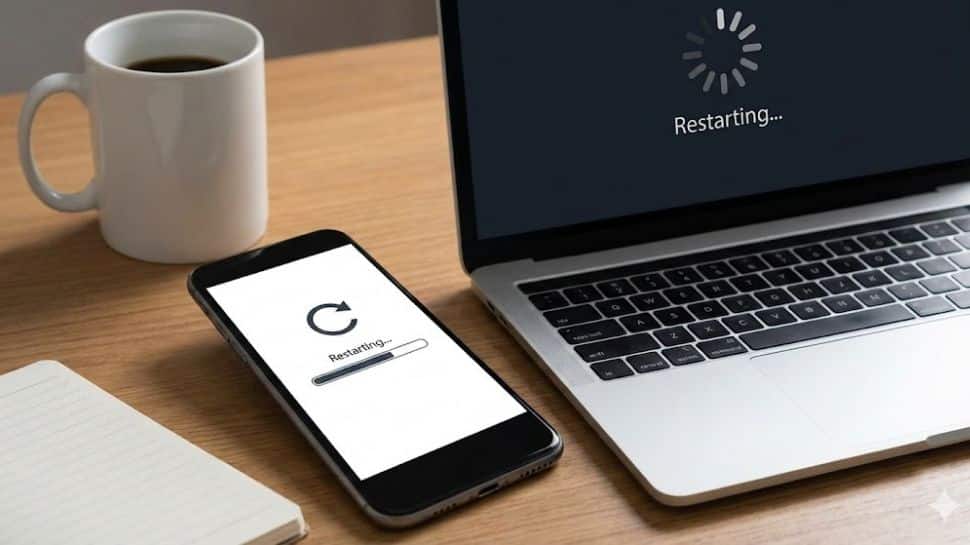
Mobile Restart Android And Laptop: In today’s digital world, our smartphones, laptops, and PCs run many apps, background tasks, and constant software updates. With so much happening, we often forget one of the easiest ways to keep our devices healthy: restarting them. Whether you use your phone for work or your laptop or PC for study, gaming, or entertainment, a quick restart can make a big difference. Let’s take a closer look at why restarting your device is more useful than you may realize. Clears Memory And Speeds Up When you restart your device, it clears memory, temporary files, and all apps running in the background that quietly use resources. This refreshes the system, reduces lag, makes apps open faster, improves multitasking, and helps your phone or laptop feel almost like new. Add Zee News as a Preferred Source Improves Battery Life And Reduces Heating Background apps that keep running can drain your battery and make your device hot. Restarting your phone or laptop stops these hidden tasks, reduces the load on the processor, improves battery life, and helps it stay cooler during heavy use. Fixes Common Glitches And Connectivity Issues Many common issues like Wi Fi not connecting, Bluetooth problems, slow internet, or apps crashing can be fixed with a simple restart. Rebooting refreshes system and network services, giving your device a clean start and clearing minor glitches. Enhances Security And Applies Updates Experts and IT teams recommend restarting devices regularly because it can stop certain memory-based cyberattacks and ensures security updates install correctly. On laptops, many operating system and antivirus updates only complete after a restart, keeping your data safer from the latest threats. (Also Read: Samsung Galaxy Tab A11+ Tablet Launched In India With MediaTek MT8775 Processor; Check Camera, Display, Battery, Price And Other Features) How To Restart Your Mobile Phone Step 1: Press and hold the Power button (or Power + Volume Down on some phones) until the power menu appears. Step 2: Tap Restart or Reboot and wait for the phone to turn off and turn on again. Step 3: If the phone is frozen, hold Power and Volume Down together for 10–20 seconds until it. How To Restart Windows Laptop Or PC Step 1: Save your work and close open apps first. Step 2: Click the Start button, select the Power icon, then choose Restart (or Update and Restart if shown). Step 3: You can also press Ctrl + Alt + Delete, click the power icon at the bottom right, and choose Restart if the system is lagging. Restart your phone and laptop at least once a week. Regular restart help keep performance smooth, improve battery life, reduce glitches, and maintain system stability, ensuring your devices run efficiently and stay healthy over time.
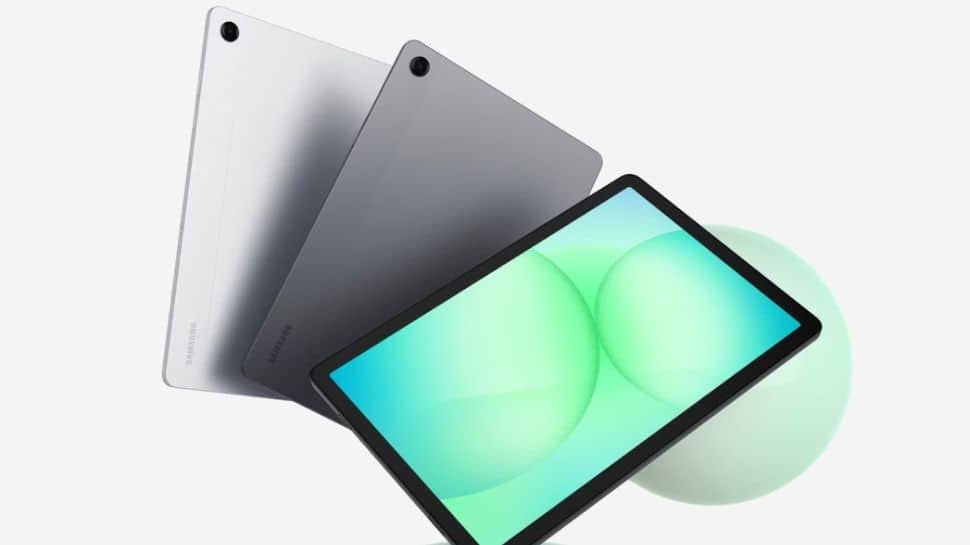
Samsung Galaxy Tab A11+ Tablet Launched In India With MediaTek MT8775 Processor; Check Camera, Display, Battery, Price And Other Features | Technology News
Samsung Galaxy Tab A11+ Price In India: South Korean tech giant Samsung has expanded its A-series tablet lineup in India with the launch of the Galaxy Tab A11+. The tablet originally debuted in several global markets in September. It runs on the Android 16-based One UI 8 interface and promises seven years of OS and security updates. Samsung is offering the Tab A11+ in four variants, covering different connectivity and storage options. All models are available in Gray and Silver colour options. The tablet comes with up to 8GB of RAM and 256GB of storage, and users can expand the storage by up to 2TB using a microSD card. Samsung Galaxy Tab A11+ Specifications Add Zee News as a Preferred Source The Galaxy Tab A11+ features an 11-inch TFT LCD display with a 90Hz refresh rate and quad speakers powered by Dolby Atmos. It is equipped with a MediaTek MT8775 processor, paired with up to 8GB of RAM and 256GB of internal storage. The tablet is powered by a 7,040mAh battery and supports 25W wired charging. On the photography front, it offers an 8-megapixel rear camera with autofocus and a 5-megapixel front camera. The Wi-Fi-only model weighs 477g, while the Wi-Fi + cellular variant weighs 482g. The device also comes with an IP52 rating for dust and splash resistance. Adding further, the Tab A11+ supports DeX mode, allowing users to turn the tablet into a PC-like setup by connecting it to a compatible monitor and pairing a keyboard and mouse. In DeX mode, users can enjoy multitasking with resizable windows. (Also Read: Nothing OS 4.0 Update Rolls Out With Camera And UI Upgrades; Check Features And How To Install It) Samsung Galaxy Tab A11+ Price In India And Availability The Samsung Galaxy Tab A11+ with 6GB RAM and 128GB storage costs Rs 22,999 for the Wi-Fi model and Rs 26,999 for the Wi-Fi + 5G version. The higher variant with 8GB RAM and 256GB storage is priced at Rs 28,999 for the Wi-Fi model and Rs 32,999 for the Wi-Fi + cellular option.