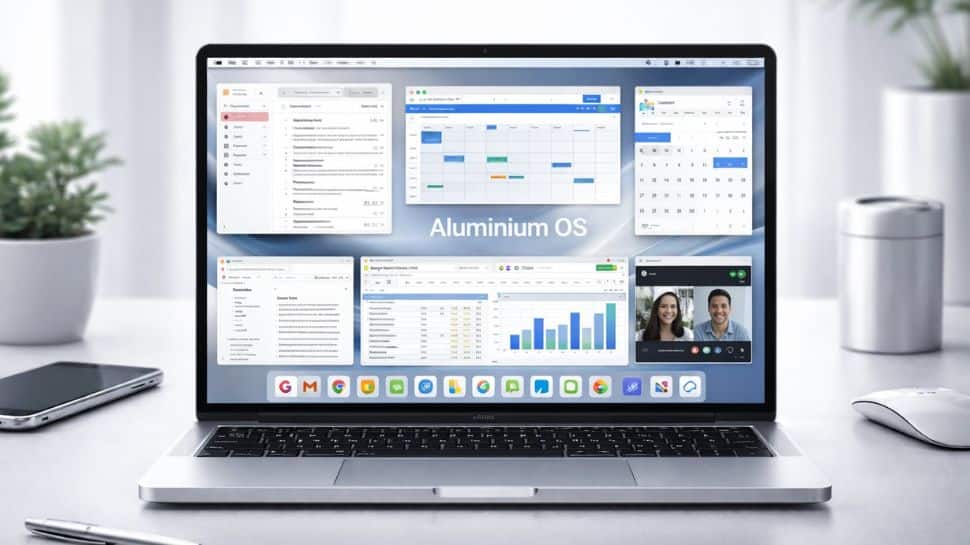
Google AluminiumOS Features: Google is expected to push the launch of AluminiumOS to 2028. The new operating system, which brings Android and ChromeOS together, is already in production. Documents also suggest that ChromeOS will continue to receive support until 2034, longer than earlier expectations. According to a report by The Verge, court testimony points to a gap between Google’s public messaging and its internal plans. At the September 2025 Snapdragon Summit, Android chief Sameer Samat hinted that the merger could arrive “next year.” However, court testimony in August 2025 later clarified that Google was only hoping for a 2026 launch. Around the same time, Google renamed the platform Aluminium OS. Job listings described it as a new Android-based operating system designed for laptops, tablets, desktops, and other devices, with Qualcomm working alongside Google on Arm-based PC chips for the platform. Add Zee News as a Preferred Source What is Google’s Aluminium OS The new operating system represents a fundamental shift in how Google approaches desktop computing. After years of running two separate operating systems, ChromeOS for laptops and Android for mobile devices, Google is now bringing its ecosystem together under a single, AI-focused platform. It is built on Android 16 or 17 with deep Gemini AI integration, Aluminium OS aims to offer desktop-level productivity while preserving the simplicity and security that made ChromeOS a favorite in education and enterprise. What Aluminium OS means for existing Chromebook users Google first confirmed Aluminium OS in mid-2025, positioning it as an effort to combine Android’s mobile strengths with the desktop stability of ChromeOS. Built for laptops, tablets, and desktops, the system is being developed with Qualcomm’s Arm-based chips in mind. Even so, Google’s promise of 10 to 11 years of updates for newer Chromebooks means millions of users will remain on the older platform for years. Internally referred to as “ChromeOS Classic,” the legacy system will not transition to Aluminium OS on all devices due to hardware limitations. According to Android Authority, ChromeOS Classic devices will continue to receive security updates until their Auto Update Expiration dates, extending into the mid-2030s. How Gemini AI is built into Aluminium OS Unlike traditional operating systems where AI is added later, Aluminium OS is built with Gemini at its core. This allows AI to work across the entire system and assist users at every step. On-device intelligence handles many AI tasks locally using dedicated NPUs, helping protect privacy while delivering faster responses without relying on the cloud. The system offers context-aware assistance, learning from your workflow to anticipate what you need based on your apps, habits, and current tasks. With intelligent multitasking, Aluminium OS suggests better window layouts based on how you work and the space on your screen. It also provides real-time summaries for documents, web pages, emails, and meetings, all directly within the operating system. For developers, a built-in AI assistant supports code generation and debugging inside terminals and development tools. The OS also enables workflow automation, learning repetitive actions and offering to automate them through simple, natural language commands. Other features include universal translation across apps with support for more than 100 languages, along with predictive search that understands what you are looking for, not just the words you type.

AI Impact Summit 2026: 100 Countries, 15 Heads of State, 100+ CEOs to attend; Top global leaders, Check Delhi hotel rates | Technology News
AI Impact Summit 2026: India will host the AI Impact Summit 2026 at Bharat Mandapam in New Delhi from February 16 to February 20, bringing together global technology executives, researchers, policymakers, investors and leaders from across the world. The summit is based on three core principles, called the Sutras of People, Planet and Progress. The focus is on developing AI systems that are inclusive, socially responsible and environmentally sustainable, while ensuring technology supports long-term global development. However, the preparations are in full swing as the national capital gears up to welcome a large number of foreign delegates and international speakers expected to attend the high-profile event. AI Impact Summit 2026: 100 countries, 100+ CEOs and 500+sessions Add Zee News as a Preferred Source Union Minister for Electronics and IT Ashwini Vaishnaw said the AI Impact Summit 2026 will be the biggest AI summit so far, with participation from over 100 countries, more than 15 Heads of State, 100+ CEOs, and 500+ sessions planned for the global event, reinforcing India’s growing role in the global AI ecosystem. Notably, the India–AI Impact Summit 2026, was announced by Prime Minister Narendra Modi at the France AI Action Summit and it will be the first-ever global AI summit hosted in the Global South. AI Impact Summit, 2026 – Biggest AI Summit so far 100+ countries | 15+ Heads of State | 100+ CEOs | 500+ sessions February 16-20, 2026 New Delhi, India pic.twitter.com/wiZI3eEiJ6 — Ashwini Vaishnaw (@AshwiniVaishnaw) January 30, 2026 India AI Impact Summit 2026: Research Symposium A key highlight of the summit is the Research Symposium on “AI and its Impact”, which aims to bring artificial intelligence research closer to policy and real-world decision-making. The symposium has generated strong interest, with more than 250 research submissions received from India and abroad. The initiative seeks to act as a bridge between research, policy and practice by creating a platform where researchers, policymakers and practitioners can engage, exchange ideas and explore practical applications of AI. AI Impact Summit 2026: AI Language Models, 500 AI startups The event will focus on several key themes, with dedicated working groups discussing how AI is changing jobs, building trust and safety in AI models, and applying AI across different industries. During the summit, the government will also launch multiple indigenous AI language models, including foundational models and smaller language models. This is a major focus area under the Rs 10,370 crore IndiaAI Mission. The summit will feature a startup showcase with over 500 AI startups and host nearly 500 sessions alongside the main programme. According to a government press statement, this makes the event one of the most comprehensive global gatherings dedicated to artificial intelligence. AI Impact Summit 2026: Top global leaders expected The AI Impact Summit 2026 is likely to feature an impressive lineup of global leaders, including Sundar Pichai, CEO of Google and Alphabet; Bill Gates, Chair of the Bill and Melinda Gates Foundation; Cristiano Amon, CEO of Qualcomm; Sunil Bharti Mittal, Founder and Chairman of Bharti Airtel; Dario Amodei, CEO of Anthropic; Jensen Huang, Founder and CEO of Nvidia; Nandan Nilekani, Co-founder and Chairman of Infosys; Natarajan Chandrasekaran, Chairman of Tata Sons; and Sam Altman, CEO of OpenAI. These leaders are expected to share insights on the future of AI and its global impact. AI Impact Summit 2026: Delhi hotel rates The India AI Impact Summit has surely impacted hotel rates in Delhi NCR. Several 5 star hotels in Delhi are going at 1 Lakh+ per night between 16-20 Feb. — Aloke Bajpai (@alokebajpai) February 6, 2026 Aloke Bajpai, CEO of travel portal Ixigo, said that the India AI Impact Summit has pushed hotel prices sharply higher in the Delhi NCR region, with several five-star hotels charging over Rs 1 lakh per night between February 16 and 20.

Which app consumes more mobile data? Know these hidden things before spending hours on reels, chats, video calls
Instagram vs WhatsApp data usage: Instagram and WhatsApp are two of the most popular apps on smartphones today, but have you ever wondered which app consumes more data? These two apps are used for different purposes and their data usage varies widely. Here is a simple explanation that will help you understand their data consumption: Mobile data limits and costs are still important for many users, especially in countries where data packs are expensive or where people rely on limited data plans. Knowing which apps use more data can help users manage their usage better and avoid unexpected charges. Instagram data usage Add Zee News as a Preferred Source Instagram is primarily a visual content-based app that serves images, video feeds, Stories, Reels, and Live content. Because of its media-heavy nature, Instagram consumes significantly more data than apps focused on text or simple messaging. Browsing photos and feed: About 60 MB per hour on average Watching videos or Reels: Around 300-600 MB per hour, depending on quality and length Live streaming or longer videos: Can go up to 600-900 MB per hour if you watch a lot of video content This shows that video-rich activities like Reels and Stories are major data drainers on Instagram. The more video content you consume, the faster your data will be used up. WhatsApp data usage WhatsApp is designed primarily for messaging and voice or video calls, which generally use much less data than browsing videos. Text messages: Only a few kilobytes per message Voice calls: About 1 MB per minute Video calls: Around 5-6 MB per minute, depending on quality and connectivity WhatsApp also downloads media such as photos and videos shared in chats, which can increase overall data usage. However, regular chatting and calls still use far less data than scrolling through video feeds. (Also Read: Instagram login issues: Forgot your password, ID hacked? Here’s a step-by-step guide to log back into the account) Direct comparison: Instagram vs WhatsApp Because of the type of content each app delivers, Instagram generally consumes more data than WhatsApp. If you spend time watching videos, scrolling the Explore page, or viewing Reels, your data usage on Instagram will rise quickly. In contrast, WhatsApp consumes relatively less data when used mainly for text messaging and occasional voice calls. Tips to save mobile data Switch on data saver mode in both apps Disable video autoplay on Instagram Use Wi-Fi for heavy media viewing or uploading Turn off background data refresh when not needed Understanding data usage habits can help you make smarter choices while using different mobile apps.

Instagram login issues: Forgot your password, ID hacked? Here’s a step-by-step guide to log back into the account | Technology News
Instagram login issues: Losing access to your Instagram account can be stressful, especially when it is used for personal communication, business, or content creation. Users often face login issues due to forgotten passwords, hacked accounts, or sudden account restrictions. To deal with such issues, Instagram provides several official ways to recover access, depending on the situation. Instagram users may be unable to log in for multiple reasons. These include entering the wrong password repeatedly, suspicious login activity, account hacking, temporary disabling by Instagram, or issues with email or phone verification. In some cases, accounts are restricted for violating community guidelines. Understanding the exact reason behind the login issue can help you determine the correct recovery method. Use ‘forgot password’ option first Add Zee News as a Preferred Source If you cannot remember your password, tap on ‘Forgot password?’ on the Instagram login screen. Enter your registered email address, username, or phone number. Instagram will send a login link or reset code. Follow the instructions to create a new password and regain access. This method works in most basic cases of login trouble. Steps to recover a hacked account If you believe your account has been hacked, select ‘Need more help?’ and choose ‘My account was hacked.’ Instagram may ask you to verify your identity using your email address, phone number, or a selfie video. Once verified, Instagram reviews the request and restores access if ownership is confirmed. What to do if Instagram disables your account? When Instagram disables an account, users usually receive a message explaining the reason. If you believe the decision was not valid, you can submit an appeal through Instagram’s help centre. Users may be asked to upload a government-issued ID to prove their identity. (Also Read: Your Smartphone’s power button can do more than you think: Hidden features explained) Check email and security alerts Instagram often sends security emails when login attempts or account changes occur. Users are advised to check their inbox and spam folder for messages from Instagram. These emails may include links to reverse unauthorised changes. Important things to remember Always use the same email address and phone number linked to your account during recovery. Avoid submitting multiple appeals, as it may delay the process. Recovery can take anywhere from a few hours to several weeks. Following Instagram’s official recovery steps increases the chances of successfully getting your account back.

Your Smartphone’s power button can do more than you think: Hidden features explained | Technology News
Power Button Function Features In Phones: For most of us, the power button is just the first touchpoint, pressed half-asleep to wake the screen or held down to switch the phone off at night. But behind this everyday action lies a tool far more powerful than it appears. When used the right way, the smartphone’s power button can unlock a smarter, faster, and more intuitive way to use your device, giving you quick access to several basic and advanced features with ease. It may look like just a simple button on the side or top of your phone, but it plays a much bigger role. The power button handles several important tasks that keep your device running smoothly, secure, and easy to use every day. Turning the device on and off Add Zee News as a Preferred Source Turning the device on and off is the most basic and important function of the power button. When a smartphone is completely switched off, pressing and holding the power button starts the device, triggering the hardware and loading the operating system. Similarly, holding the power button while the phone is on opens the shutdown menu, allowing users to power it down fully and save battery. This simple action makes the power button the gateway to all smartphone activity, as the device remains inactive without it. (Also Read: New Aadhaar App, UMANG to DigiLocker and DigiYatra: Best free government apps to save time, skip queues, and cut paperwork; Check features) Accessing security and Lock screen On most smartphones, pressing the power button also activates security features such as PIN, pattern, password, or biometric authentication like fingerprint and face unlock. This added layer of protection ensures that only authorized users can access the phone and keep personal data safe. Triggering special functions On Android smartphones, the power button works with other buttons to perform quick actions. Pressing the Power and Volume Down buttons together captures a screenshot. In some models, pressing Power, Volume Up, and the Home button can open the recovery menu, though this varies by brand. Long-pressing the Power and Volume Up buttons during boot can also take the phone into recovery mode. Additionally, a long press of the power button opens a menu with options like Power Off, Restart, Screenshot, Emergency, and sometimes Lockdown Mode. On iPhones with Face ID, the power button also supports several quick actions. Pressing the Side button along with the Volume Up button can trigger Emergency SOS or take a screenshot. Double-clicking the Side button opens Apple Pay or the Wallet app for quick payments. Meanwhile, pressing and holding the Side button with either volume button brings up the Power Off and Emergency SOS slider. Take screenshots easily You can also set your phone’s power button to take screenshots. The biggest advantage is that you don’t need to use both hands. With the traditional method, many times the volume and power buttons are not pressed at the right moment, causing the screenshot to be missed. Get everything done with an assistant As AI continues to evolve, the power button on your phone has become even more useful. With a simple press, you can wake Gemini or any other AI assistant to complete tasks or get answers to your questions, all without needing to touch the screen. Factory reset and recovery mode During technical troubleshooting, specific combinations of the power button and volume buttons can be used while the phone is booting to enter Recovery Mode. From this menu, users can wipe cache, perform a factory reset, or install system updates. This feature is especially important for deep system maintenance, fixing software issues, and restoring the device when normal access is not possible. (Also Read: Google Pixel 10a Price In India Leaked: Pre-orders in India begin February 18; Check expected display, battery, camera, and colour options) Emergency functions Many smartphones use the power button as a quick gateway to emergency features. By pressing the power button rapidly, users can trigger Emergency SOS to call emergency services or share their live location with trusted contacts. In addition, Medical ID details can be accessed on a locked phone, allowing important health information to be viewed without unlocking the device. Together, these features significantly enhance personal safety.

Google Pixel 10a Price In India Leaked: Pre-orders in India begin February 18; Check expected display, battery, camera, and colour options | Technology News
Google Pixel 10a Price In India: Google is gearing up to launch the Pixel 10a smartphone in India, promising to be one of the first standout devices from the tech giant this year. This new offering will be a power-packed, slightly trimmed-down version of the Pixel 10 series, which made its debut in the second half of 2025. Interestingly, the Pixel 10a is arriving earlier than its predecessor, the Pixel 9a, which had launched in March. Tech enthusiasts can mark their calendars, as the Pixel 10a will open for pre-orders globally and in India on February 18th. Google Pixel 10a specifications (Expected) Add Zee News as a Preferred Source The Pixel 10a is rumored to feature a 6.285-inch FHD+ OLED display with a 120Hz refresh rate and peak HDR brightness of up to 2,000 nits. Under the hood, it is expected to come with 8GB of LPDDR5X RAM and storage options of 128GB or 256GB (UFS 3.1). The smartphone could be powered by a 5,100mAh battery that supports both wired fast charging and wireless charging. The phone is likely to run Android 16, with Google promising seven years of OS and security updates. Color choices may include Obsidian (black), Fog (white), Lavender, and a new reddish shade called Berry. On the camera front, leaks suggest a 48MP primary rear sensor with OIS, paired with a 13MP ultra-wide lens, while the front is expected to house a 13MP selfie camera capable of 4K video at 30fps. Meanwhile, the one of the biggest design changes is the flat rear camera module, which sits flush with the back panel, replacing the raised “camera bar” seen on previous models. AAAAAAAAAA…Are you ready? Pre-order your Google Pixel 10a starting from 18.2.2026 Sign up and save through https://t.co/DDOk3kTiRI pic.twitter.com/0n4FPtzkwE — Google India (@GoogleIndia) February 4, 2026 Google Pixel 10a price in India (Leaked) It is suggested that the Google Pixel 10a could start at around Rs 49,999 for the 8GB RAM with 128GB storage variant in India. The higher-end 8GB RAM model with 256GB storage is expected to be priced at Rs 59,999, giving buyers a choice depending on their storage needs. However, the tech giant Google hasn’t officially revealed the pricing yet. Google store subscribers will be eligible for an exclusive offer upon signing up for the information by 1:29pm IST on February 13. This offer can be applied with the Pixel 10a purchase to unlock a benefit for a future order.

New Aadhaar App, UMANG to DigiLocker and DigiYatra: Best free government apps to save time, skip queues, and cut paperwork; Check features | Technology News
Best Free Government Apps: In today’s fast-paced world of technology, standing in long queues and dealing with paperwork is still common for many people. However, things are now getting easier. The Indian government has launched several free mobile apps that help citizens access important services on their phones. These apps allow users to check documents, apply for services, track requests, and book appointments without visiting offices. These government apps aim to make public services more accessible and efficient by reducing physical paperwork, cutting down long queues, saving time, and minimising effort. UMANG App Add Zee News as a Preferred Source UMANG (Unified Mobile Application for New-age Governance) is India’s unified government app under the Digital India initiative, offering hundreds of central and state services on a single platform. It allows citizens to access services such as bill payments, government schemes, Aadhaar and DigiLocker integration, pension services, and EPFO tasks across Android, iOS, web, SMS, and IVR. The app supports multiple Indian languages and simplifies e-governance through secure, anytime, anywhere access. DigiYatra DigiYatra is a biometric-based digital travel app designed to make airport journeys faster and paperless. It uses facial recognition technology to enable seamless entry at airport checkpoints without showing physical ID or boarding passes. Linked with Aadhaar and airline data, the app allows contactless verification, reduces waiting time, and enhances passenger convenience while ensuring data privacy and secure travel across participating Indian airports. (Also Read: Google’s AirDrop-Style Feature coming to more android phones in 2026: How to share files with iPhone) AIS for Taxpayers AIS for Taxpayers is an income tax service that provides a detailed view of a taxpayer’s financial transactions reported to the Income Tax Department. It includes information such as income from salary, interest, dividends, securities, and high-value transactions. The facility helps taxpayers verify data, give feedback on discrepancies, and ensure accurate income tax return filing with greater transparency and compliance. Aadhaar App The Aadhaar app is an official mobile application by UIDAI that allows users to access and manage Aadhaar services digitally. It enables features such as Aadhaar verification, offline e-KYC sharing, virtual ID generation, and checking Aadhaar authentication history. Users can securely share masked Aadhaar details, locate enrolment centres, and manage updates, making Aadhaar services safer, faster, and more convenient. SWAYAM SWAYAM is a government-backed online learning platform that offers free courses from Class 9 to postgraduate level. Developed under the Digital India initiative, it provides high-quality content from leading institutions through video lectures, reading materials, self-assessment tests, and discussion forums. Learners can access courses anytime, earn certificates after exams, and enhance skills across academic, professional, and vocational domains. BHIM UPI BHIM UPI is a government-backed digital payment app that enables instant money transfers using the Unified Payments Interface (UPI). Users can send and receive funds, pay bills, and scan QR codes for payments directly from their bank accounts without needing cash or cards. The app supports multiple banks, ensures secure transactions, and simplifies digital payments for everyday transactions across India. NextGen mParivahan NextGen mParivahan is a government-backed mobile app that digitizes vehicle and driver-related services. It allows users to carry digital driving licenses and vehicle registration certificates, check RC/DL details, and verify documents instantly. The app also provides features like e-challan status, permit details, and vehicle information, promoting paperless, secure, and convenient road transport management for citizens across India. (Also Read: MediaTek unveils Dimensity 9500s and 8500 chipsets in India for Next-Gen flagship and premium smartphones; check features) DigiLocker DigiLocker is a secure digital platform by the Government of India that allows citizens to store, access, and share official documents online. Users can upload documents like Aadhaar, driving license, education certificates, and government-issued IDs, or receive them directly from registered issuers. The app ensures authenticity, reduces paperwork, and provides anytime-anywhere access, promoting paperless governance and easier verification for citizens and authorities.

Google’s AirDrop-Style Feature coming to more android phones in 2026: How to share files with iPhone | Technology News
Google AirDrop Feature: Google is working on a feature that aims to significantly improve cross-platform connectivity and remove one of the biggest frustrations for Android users. The company is planning to make file sharing much easier in 2026 by enhancing its AirDrop-like feature. This update will allow Android phones to share files more smoothly with Apple devices. However, the upcoming update is particularly important for users who frequently switch between Android and Apple ecosystems. The move is expected to solve a common problem faced by users when sending photos, videos, or documents between Android and Apple platforms, making file sharing faster and simpler. Google is preparing to simplify file sharing between Android and Apple devices in 2026 by expanding its AirDrop-style feature to a wider range of smartphones. The Mountain View–based tech giant first announced cross-platform file sharing between Android and iOS devices in November 2025 alongside the launch of the Pixel 10. The feature enables Android and iPhone users to share files securely and wirelessly using Quick Share and AirDrop. For many years, Apple’s AirDrop has offered a seamless way to share photos, videos, and documents within the Apple ecosystem. Android users, however, often had to depend on third-party apps, email, or cloud services to send files to iPhones. Add Zee News as a Preferred Source That gap is now expected to narrow as Google continues to expand support for its Quick Share system, which already allows wireless file sharing between Android devices. With added AirDrop support in Quick Share, users will be able to transfer files between Android phones and iPhones, as well as iPadOS and macOS devices. On the Android side, the feature is currently limited to the Google Pixel 10 series, including the Pixel 10, Pixel 10 Pro, Pixel 10 Pro XL, and Pixel 10 Pro Fold. How to transfer files, photos, videos from Android to iPhone Step 1: Turn on Wi-Fi and Bluetooth on both your Android phone and iPhone, and keep the devices close to each other. Step 2: Enable Quick Share on Android and make sure AirDrop is switched on on the iPhone. Step 3: Select the photo, video, or document on your Android phone, tap Share, and choose Quick Share. Step 4: Tap the iPhone name, approve the request on the iPhone, and the file will transfer wirelessly in seconds.
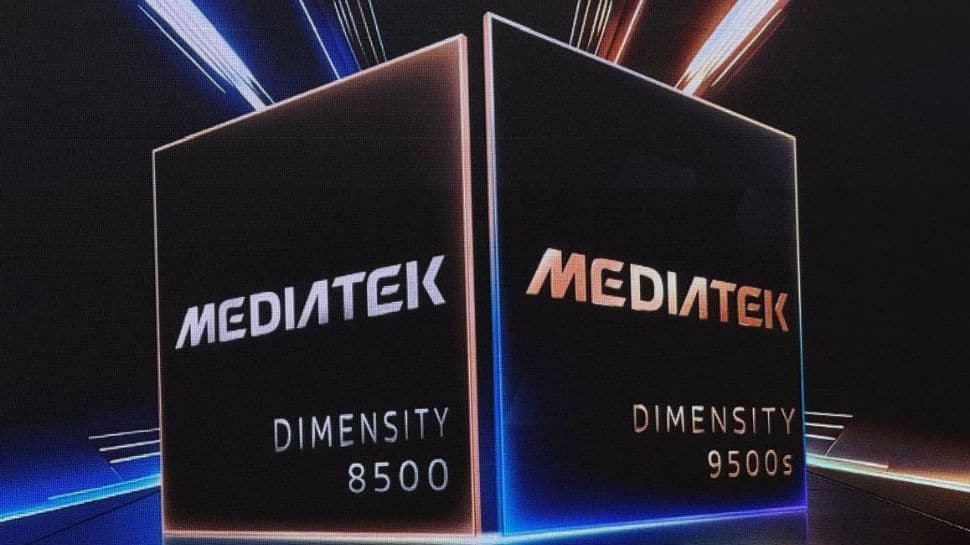
MediaTek unveils Dimensity 9500s and 8500 chipsets in India for Next-Gen flagship and premium smartphones; check features | Technology News
MediaTek Dimensity 9500s Upcoming Phones: Taiwanese fabless chipmaker MediaTek has unveiled the Dimensity 9500s and Dimensity 8500 smartphone chipsets in India, targeting the premium and flagship segments. The newly introduced processors are designed to deliver significant improvements in performance and power efficiency, along with advanced AI, imaging, gaming, and wireless connectivity capabilities, powered by an All-Big Core architecture and industry-leading Agentic AI features. Meanwhile, several smartphone brands have already confirmed plans to adopt the new platform. OPPO and POCO will be among the first to launch devices powered by the Dimensity 9500s in India. OPPO has announced that its upcoming Find X9s will debut in the Indian market with the Dimensity 9500s, while POCO has also confirmed that a new smartphone featuring the same chipset is in the pipeline. MediaTek Dimensity 9500s: Designed to deliver flagship-level performance Add Zee News as a Preferred Source The chipset is built on an advanced 3nm fabrication process, the MediaTek Dimensity 9500s is designed to deliver flagship-level performance while significantly improving energy efficiency, thanks to its All-Big Core architecture. The powerful octa-core CPU includes a Cortex-X925 ultra core clocked at up to 3.73GHz, complemented by three Cortex-X4 premium cores and four Cortex-A720 performance cores, ensuring smooth multitasking and sustained high performance. Graphics duties are handled by the Immortalis-G925 GPU, which offers a full-frame, immersive gaming experience with support for advanced ray tracing, meeting the expectations of hardcore mobile gamers. Additionally, the enhanced NPU in the Dimensity 9500s is optimized for generative reasoning and multi-modal AI models, enabling smarter on-device AI processing, a more advanced flagship-grade edge camera experience, and improved content creation capabilities. MediaTek Dimensity 9500s: Features The MediaTek platform further elevates the flagship experience with support for 8K full-focus Dolby Vision HDR video recording, offering real-time 30fps motion tracking powered by the advanced MediaTek Imagiq ISP. To ensure smoother gameplay without compromising battery life, Adaptive Game Technology 3.0 (MAGT 3.0) and Frame Rate Control Technology 3.0 (MFRC 3.0) significantly enhance energy efficiency during gaming sessions. On the connectivity front, the integrated 5G Release-17 modem supports 4CC carrier aggregation and delivers blazing-fast downlink speeds of up to 7Gbps, while MediaTek 5G UltraSave 4.0 further optimizes power consumption. Network reliability is strengthened with AI Network Suite 2.0, which intelligently improves performance in areas with weak connectivity. Additionally, MediaTek Xtra Range 3.0 extends indoor Wi-Fi coverage and enables long-distance phone-to-phone Bluetooth direct connections of up to 5 kilometres, ensuring seamless connectivity across scenarios. MediaTek Dimensity 8500: Powerful Performance for Ultra-Fast Play The MediaTek Dimensity 8500 is built on an energy-efficient 4nm process and features an All-Big Core CPU architecture with eight Cortex-A725 cores clocked at up to 3.4GHz, delivering a strong balance of performance and power efficiency. With support for accurate scheduling technology and high-speed LPDDR5X memory running at up to 9600Mbps, the chipset ensures faster data transmission, smoother multitasking, and longer battery life across everyday apps, gaming, and intensive workloads. Designed with a fully upgraded computing core and gaming engine, the Dimensity 8500 offers a consistently smooth gaming experience with full-frame stabilization, faster load times, and improved energy efficiency. The platform also brings ray tracing support to mainstream mobile games, enabling more realistic lighting and visual effects that significantly enhance immersion and overall gameplay quality. MediaTek Dimensity 8500: Features The MediaTek Dimensity platform is powered by an 8th-generation NPU that supports global mainstream large language models (LLM/MLLM) as well as advanced image generation models, enabling faster and more efficient on-device AI processing. Graphics performance is handled by the integrated Mali-G720 GPU, which delivers up to a 25% performance improvement over the previous generation for smoother visuals and better gaming experiences. On the imaging front, the chipset supports an AI ultra-clear telephoto algorithm, enhancing long-range photography with greater detail and clarity. This is further complemented by the Dimensity AI Semantic Engine, which intelligently analyzes and optimizes image content frame by frame, resulting in more accurate colors, improved sharpness, and enhanced overall image quality.

Space to be most cost-effective hub for AI, says Elon Musk | Technology News
New Delhi: Space could soon become the cheapest place to power artificial intelligence at least that’s what Tesla CEO Elon Musk believes. In a recent conversation on the Dwarkesh Podcast, Musk predicted that AI systems could be moved to orbit within the next 36 months. During the discussion, he spoke about the economics of space-based data centres, the growing difficulty of scaling energy infrastructure on Earth and the challenges of manufacturing humanoid robots at high volumes in the United States. Explaining why he sees space as a better option, Elon Musk said it is “harder to scale on the ground than it is to scale in space,” as he outlined his plans to build AI data centres beyond Earth. “You’re also going to get about five times the effectiveness of solar panels in space versus the ground, and you don’t need batteries,” he said. Musk further pointed out that space does not “have a day-night cycle, seasonality, clouds, or an atmosphere”. “The atmosphere alone results in about a 30% loss of energy,” he added. Add Zee News as a Preferred Source Musk Says Space Could Soon Become the Cheapest Home for AI Backing his argument for space-based infrastructure, Elon Musk said, “So any given solar panel can do about five times more power in space than on the ground. You also avoid the cost of having batteries to carry you through the night. It’s actually much cheaper to do in space,” the world’s richest person said. Musk predicted that space will soon become the most affordable location for artificial intelligence systems. “It will be space in 36 months or less. Maybe 30 months.” When asked about GPU reliability during large-scale AI training, Musk downplayed concerns around hardware failures, suggesting they are not as significant as many believe. He reiterated that the future of AI infrastructure may ultimately lie beyond Earth. Musk Downplays Concerns Over GPU Reliability Addressing questions around hardware failures during large-scale AI training, Elon Musk said reliability largely depends on how new the GPUs are when they are deployed. According to him, most issues tend to arise in the early stages, when the chips are still going through initial testing and debugging. He explained that once GPUs move past this phase whether they are made by Nvidia, Tesla, or other manufacturers producing TPUs or Trainium chips they generally become stable and dependable over time. Musk suggested that after the early debugging cycle, hardware failures are relatively rare, and ongoing servicing is not a major concern in his view.